
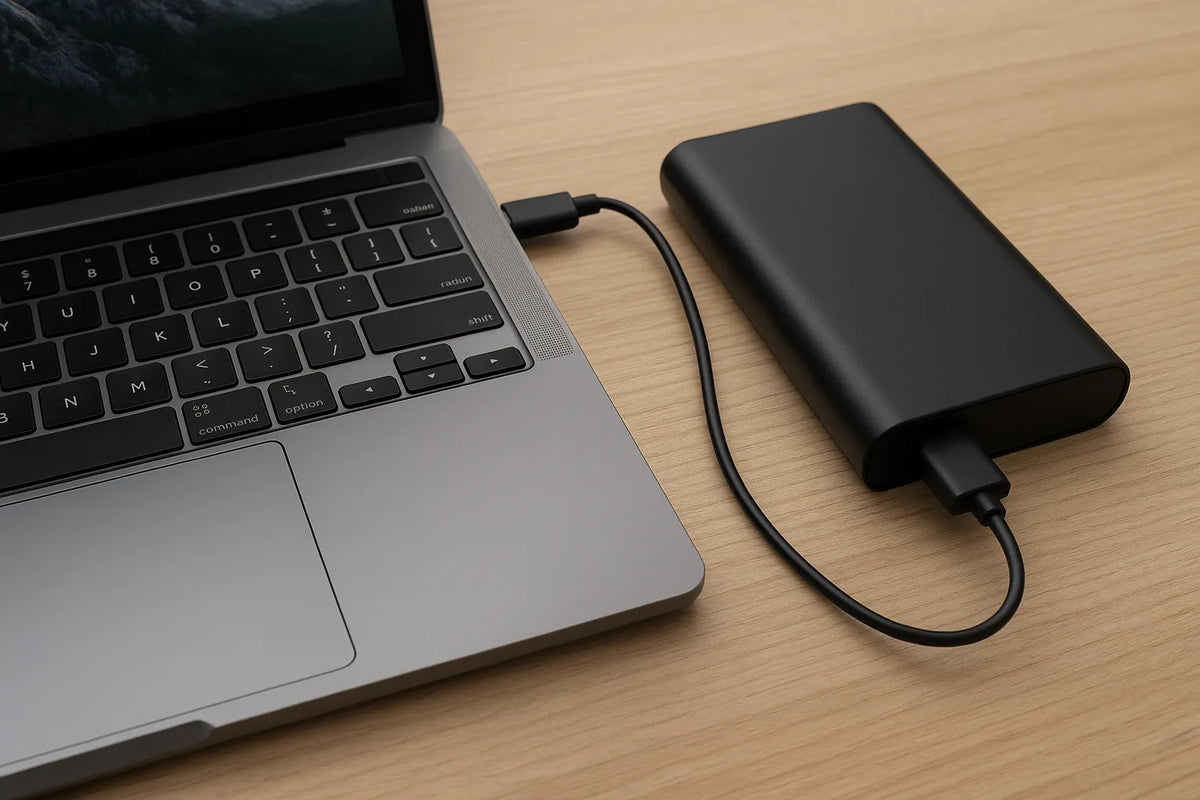
Modern mobile work depends on two essentials: your laptop’s internal battery and the power bank that keeps it running when outlets are far away. Both carry lithium-ion or lithium-polymer cells, yet their behavior, aging patterns, and long-term reliability differ in ways many users overlook.
Most laptops today ship with lithium-polymer packs with typical cycle lifespans ranging from 300 to 1,000 charge cycles. Apple publishes an upper limit of 1,000 cycles for MacBook batteries. Many Windows laptops average around 300–500 cycles depending on design, chemistry, and thermal management. Power banks, by contrast, often reach 500–1,500 cycles because their cells experience less heat and lower discharge loads.
These numbers highlight a simple truth. A laptop battery works under stress. A power bank usually does not.
The difference matters. Heat produced by processors, graphics chips, and fast charging circuits accelerates chemical degradation inside an internal battery. High discharge rates also place strain on the pack. A power bank operates in a far more stable environment, with slower, cooler charge and discharge patterns. This alone gives most power banks a natural longevity advantage.
Consumers often assume a battery is a battery. But the device, workload, and thermal profile shape the pace of aging. Understanding these factors helps you make informed decisions about when to replace a battery, how to travel with the right power setup, and how to protect your devices from unnecessary wear.
This article explains the science behind lifespan differences, offers real-world comparisons, and shares practical ways to extend the health of both your laptop battery and your power bank. Each chapter builds on verified data, real engineering principles, and long-term battery performance research. The goal is simple: give you a clear, reliable guide rooted in everyday use rather than marketing claims.

How Internal Laptop Batteries Work (and Why They Age Faster)
Internal laptop batteries do not age by accident. They age because of heat, charge cycles, voltage stress, and the demands of modern processors. Understanding these factors helps explain why laptop batteries often degrade sooner than power banks, even when they use similar lithium-based chemistry.
How Internal Laptop Batteries Are Built
Most modern laptops use lithium-polymer (Li-Po) cells. These cells are compact, lightweight, and shaped to fit the tight interior of thin notebooks. They typically run at 3.6–3.7 volts per cell and ship with capacities from 3,000 mAh to more than 9,000 mAh, depending on the model.
Laptop batteries also include:
- A battery management system (BMS)
- Temperature sensors
- Over-voltage and over-current protection
- Charge controllers tuned for fast charging
These components maintain safety and performance but also contribute to heat during charging.
Why Laptop Batteries Age Faster
Laptop batteries operate in a demanding environment. Several key factors accelerate their chemical wear:
1. Heat From the System
Laptops generate significant heat. CPUs, GPUs, and voltage regulators sit only millimeters from the battery pack. Under heavy workloads, internal temperatures can reach 40–60°C.
Research shows that lithium-ion cells experience faster degradation above 35°C. At 45°C, chemical aging can double compared with room temperature. This explains why laptops used for gaming, video editing, or virtualization often lose battery health faster.
2. High Discharge Loads
A laptop might draw 20–90 watts depending on workload. This is far higher than the gentle 5–20 watt outputs typical of smartphones. High load increases internal resistance and raises battery temperature.
The result is accelerated cycle wear.
3. Fast Charging Stress
Many laptops now support:
- 65W USB-C fast charging
- 100W USB-C PD charging
- Proprietary quick-charge modes
Fast charging increases heat and voltage stress, both of which reduce long-term battery health. Manufacturers attempt to balance this with intelligent charging algorithms, but physical limits remain.
4. Full Charge and Deep Drain Cycles
Keeping a battery at 100% charge or draining it below 20% places strain on lithium chemistry. Many users do both daily. Studies show that storing cells at full charge at 40°C can cause up to 35% capacity loss within a year.
Power banks rarely experience such extremes.
Typical Lifespan of Internal Laptop Batteries
Most laptop batteries are rated for:
- 300–500 cycles for mainstream Windows laptops
- 1,000 cycles for Apple MacBooks
- 2–4 years of typical use before noticeable degradation
A “cycle” equals one full 0–100% charge. Even if you charge a laptop from 50% to 100% twice, that counts as one cycle.
As batteries age, they lose:
- Maximum capacity
- Peak discharge capability
- Charging efficiency
Performance drops become obvious during high CPU/GPU workloads, where voltage sag can trigger shutdowns even at 20–30% remaining.
Signs Your Laptop Battery Is Aging
Look for:
- Faster drop from 100% to 80%
- Swelling or deformation of the chassis
- Sudden shutdowns under load
- Battery health readings under 80%
Most manufacturers recommend replacement when health dips below 80%, as performance and safety can decline rapidly after that threshold.
Why Manufacturer Differences Matter
Laptop brands use different cell suppliers. Panasonic, LG Chem, ATL, and Samsung SDI produce many of the best lithium-polymer cells with longer cycle ratings. Budget laptops may use lower-grade cells that degrade faster.
Thermal design also plays a role:
- Thin metal chassis retain heat.
- Fanless designs trap heat around the pack.
- Vent placement affects battery exposure.
This is the main reason two laptops with the same chemistry can age at very different speeds.

How Power Banks Work and Why Their Lifespan Differs
Power banks may look simple, but their behavior and lifespan follow clear engineering rules. They use similar lithium-based cells as laptops, yet they often last longer. The difference comes from operating conditions, charging patterns, and thermal stability.
How Power Banks Are Built
Most power banks use lithium-ion (Li-ion) or lithium-polymer (Li-Po) cells. Large-capacity models often rely on 18650 or 21700 cylindrical cells, which offer strong thermal stability. Smaller models use soft-pack lithium-polymer cells similar to those in smartphones.
Inside a power bank you will find:
- A battery management system
- DC–DC converters
- Protection circuits
- Temperature sensors
- USB or USB-C PD fast-charging controllers
While these components manage voltage and safety, they produce far less heat than laptop internals.
Why Power Banks Tend to Last Longer
Several design and usage factors give power banks a natural advantage over laptop batteries.
1. Cooler Operating Environment
Power banks do not sit next to a hot processor or graphics chip. They run at stable ambient temperatures, usually 20–30°C. Lower heat slows down chemical degradation.
Laptop batteries rarely enjoy such conditions.
2. Lower Discharge Rates
A power bank usually outputs 5–20 watts for phones or 30–65 watts for laptops via USB-C PD. These loads are much lower than the 20–90 watt spikes seen inside laptops.
Low discharge reduces internal resistance and heat, extending the pack’s lifespan.
3. Controlled Charging Profile
Power banks charge slowly compared with laptops. Even a fast-charging 65W power bank charges its internal cells at a controlled rate using step-down circuits. These circuits prioritize cell safety over speed.
This greatly reduces voltage stress.
4. Optimized Battery Management
Most reputable power banks include:
- Balanced charging across cells
- Overheat protection
- Low-voltage cutoff
- Cycle optimization algorithms
These features protect the cells from deep discharge and overcharging—two factors that accelerate chemical wear.
5. Less Frequent Full Cycles
Many users only partially drain their power banks. A partial discharge is gentler on lithium chemistry than a full 0–100% cycle. As a result, a power bank might see fewer complete cycles in a year than a laptop.
Typical Lifespan of Power Banks
A well-built power bank usually offers:
- 500–1,500 charge cycles
- 3–5 years of practical use
High-end models using 21700 cells can deliver closer to 1,000–2,000 cycles, depending on the brand and thermal design.
Cycle life varies by cell type:
- 18650 Li-ion cells → reliable, stable, long-lasting
- 21700 cells → higher energy density, strong thermal behavior
- Li-Po soft packs → lighter but degrade slightly faster at high temperatures
Still, all of these typically outperform laptop batteries due to cooler, more stable operating conditions.
Signs a Power Bank Is Aging
You may notice:
- Capacity drops, requiring more frequent recharges
- Heating during charging
- Output that cannot sustain a laptop
- USB ports failing to deliver advertised wattage
- Inconsistent LED indicators
Most power banks remain usable even after mild capacity loss. The key is avoiding swelling or heat, which signal internal cell failure.
Why Cell Quality Matters
High-end brands source cells from:
- LG Chem
- Samsung SDI
- Panasonic
- CATL
These cells maintain more stable performance over time. Low-cost power banks may use recycled or low-grade cells, which degrade faster and pose safety risks. This is why brand reputation matters significantly more for power banks than for laptop batteries.
Side-by-Side Comparison — Performance, Health, Lifespan, and Cost
Understanding the differences between an internal laptop battery and a power bank requires more than knowing their chemistry. Their environments, workloads, and charging behavior shape their long-term reliability. This chapter compares both devices in a clear, structured way, using real data and everyday usage patterns.
Overall Comparison Table
The table below highlights the key differences that matter to everyday users. It allows you to quickly see how each battery type performs under real conditions.
| Feature | Laptop Internal Battery | Power Bank |
|---|---|---|
| Typical Chemistry | Lithium-polymer (Li-Po) | Li-ion (18650/21700) or Li-Po |
| Cycle Lifespan | 300–1,000 cycles | 500–1,500 cycles |
| Heat Exposure | High (40–60°C during workloads) | Low to moderate (20–35°C) |
| Discharge Load | 20–90W depending on workload | 5–65W depending on device |
| Charging Behavior | Fast charging, high stress | Controlled charging, lower stress |
| Environmental Stability | Poor (confined space, trapped heat) | Good (open air, cooler operation) |
| Typical Daily Usage | Multiple cycles, full drains | Partial cycles, occasional full drains |
| Average Lifespan | 2–4 years | 3–5 years |
| Replacement Cost | Medium to high | Low to medium |
| Risk Factors | Heat, workload spikes, full-charge storage | Poor-quality cells, misuse |
Performance Differences
Laptop batteries are high-performance components. They must deliver enough power to support CPUs, GPUs, and high-resolution displays. This means they often experience rapid changes in load, which stresses the cells.
Power banks provide steady output. They are not exposed to sudden spikes that push current draw to extreme levels. The smoother discharge curve helps maintain their internal chemistry for longer.
Health and Degradation Patterns
Laptop Batteries
Laptop batteries degrade faster for three reasons:
- Heat from internal components
- Fast charging that raises voltage stress
- Full charge levels held for long periods
A laptop used daily for work may hit 300 cycles in a year. As a result, many users see noticeable capacity drop after the second year.
Power Banks
Power banks degrade slowly because:
- They operate at cooler temperatures
- They rarely experience full charge–discharge cycles
- They use conservative charging profiles
A power bank might take a year to accumulate 100–150 cycles. This slow cycle count contributes directly to longer lifespan.
Lifespan and Replacement Costs
Good laptop batteries cost more. Internal batteries must be designed specifically for each model. They include sensors, controllers, and custom physical shapes. Many laptops hide the battery under the motherboard, making professional installation necessary.
Prices typically fall in these ranges:
- $50–$150 for genuine replacement batteries
- $80–$250 for installation on premium brands
Power banks are cheaper to replace because they are generic and user-swappable. A good model with reputable 21700 cells costs:
- $20–$70 for basic to mid-range
- $80–$150 for high-capacity PD power banks
This makes power banks cost-effective for extending mobile uptime without harming your laptop’s internal battery.
Real-World Use Case Comparisons
1. Daily Commuting
A laptop battery handles morning and afternoon work, often with video calls or heavy apps. A power bank may receive only a 20–40% drain from topping up a phone or charging a laptop lightly.
Laptop battery wear accelerates faster under this pattern.
2. Remote Work or Travel
Frequent charging and long sessions stress laptop batteries. But using a power bank as the primary energy source reduces internal cycling. This delays battery aging.
3. Gaming or Editing
Internal laptop batteries suffer the most. High temperature and power draw combine to reduce lifespan. Power banks, even with high-wattage PD output, remain more stable because they are not heating from within.

How to Extend the Life of Both Your Laptop Battery and Your Power Bank
Extending the lifespan of your laptop battery and your power bank requires consistent habits, a basic understanding of lithium chemistry, and attention to temperature. This chapter outlines practical steps you can apply immediately. Each tip is based on known battery behavior and manufacturer recommendations.
Best Practices for Laptop Battery Health
Laptop batteries deteriorate quickly when exposed to heat or high charge levels. The following strategies can slow that decline and maintain long-term performance.
1. Keep Your Laptop Cool
Heat is the single biggest factor in battery aging. Try to:
- Use your laptop on a hard surface.
- Keep air vents clear of dust.
- Avoid blocking the fan with blankets or bedding.
- Use a cooling pad during heavy workloads.
Most batteries remain healthiest below 35°C.
2. Avoid Charging to 100% Daily
Keeping lithium cells at full charge accelerates chemical wear. If your laptop offers charge limit features, set the cap to 80%–85%. Many brands, including Lenovo, ASUS, Dell, and Apple, offer this option.
3. Prevent Deep Discharges
Draining a laptop battery below 20% increases stress on the cells. Aim for partial cycles whenever possible.
4. Reduce Heavy Workloads on Battery Power
Intensive apps raise internal temperatures. If possible:
- Play games only when plugged in.
- Render video on AC power.
- Avoid running multiple virtual machines on battery.
Keeping workloads light helps reduce thermal stress.
5. Store the Laptop Battery Properly
If you store your laptop for a long period:
- Charge the battery to 40–60%.
- Turn it off completely.
- Keep it in a cool, dry place away from heat sources.
This storage range slows chemical aging.
Best Practices for Power Bank Health
Power banks often last longer than laptop batteries, but they still benefit from proper care.
1. Keep the Power Bank Away From Heat
Do not leave your power bank inside a car or under direct sunlight. Heat accelerates aging and increases the risk of swelling.
2. Avoid Fully Draining the Power Bank
Deep discharge harms lithium cells. Try to recharge it when it reaches 20–30%. Many power banks include built-in protection to stop over-discharge, but maintaining partial cycles is still ideal.
3. Use Quality Chargers
Cheap chargers supply unstable voltage. This can shorten lifespan or damage internal circuits. Choose chargers from reputable brands that support USB-C PD or QC standards.
4. Store at Moderate Charge Levels
Like laptop batteries, power banks store best at 40–60% charge. If you use a power bank infrequently, top it up every 3–4 months to prevent deep discharge.
5. Keep the Ports Clean
Dust and debris inside the USB port can cause:
- Slow charging
- Overheating
- Connection failures
Use a soft brush or compressed air to keep ports clean.
Using a Power Bank to Reduce Laptop Battery Wear
A power bank can help extend your laptop battery’s lifespan when used correctly. Here are the most effective strategies:
- Charge your laptop with a PD-certified power bank during travel.
- Use the power bank to keep your laptop in the 40–80% sweet spot.
- Avoid running demanding apps solely on battery power.
This reduces full discharge cycles, which directly extends longevity.
Signs You Are Maximizing Battery Health
You’ll know your battery-care habits are working if:
- Your laptop battery health stays above 85% after the first year.
- Your power bank maintains stable capacity without swelling.
- Both devices charge smoothly and stay cool during operation.
Good habits add months or even years to battery lifespan.
Conclusion
A laptop battery and a power bank may use similar chemistry, but they age differently. Laptops operate in harsh thermal environments, handle high loads, and charge quickly. Power banks enjoy cooler conditions and predictable charging behavior, which helps them last longer. By understanding these differences, you can protect both devices, reduce long-term costs, and maintain reliable performance wherever you work.
