
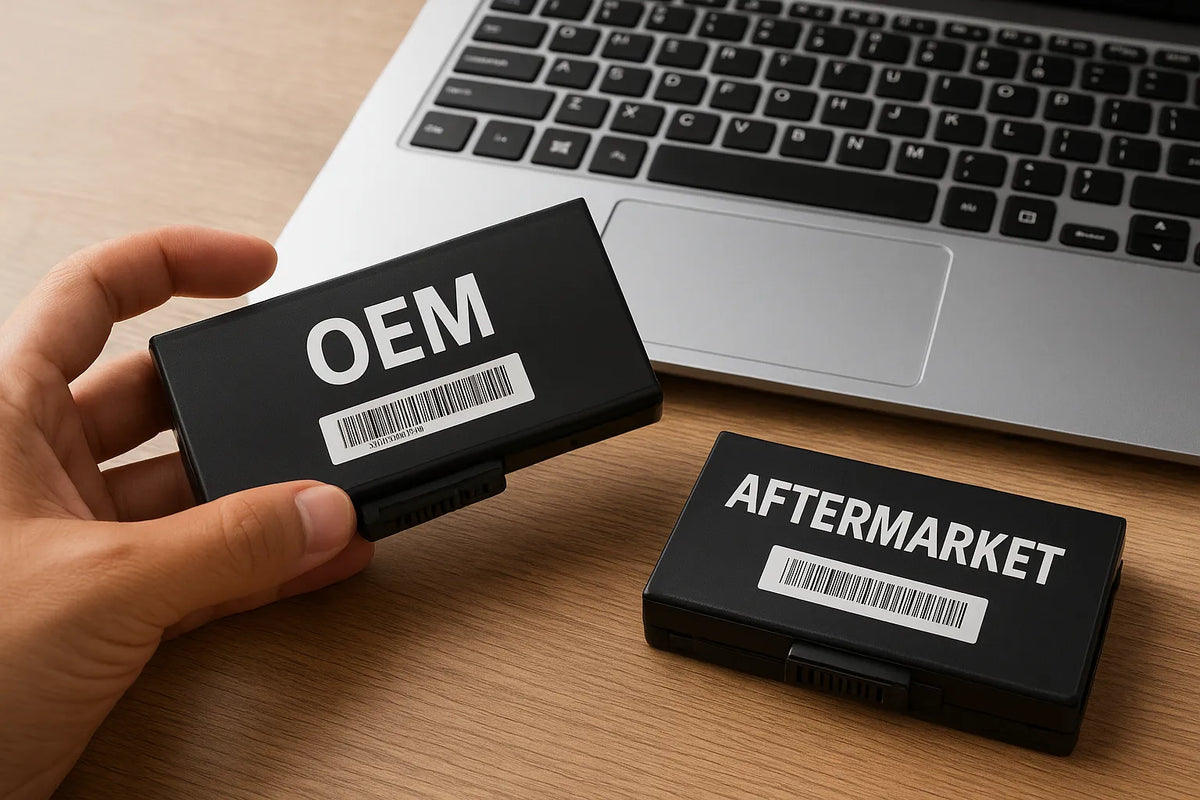
Replacing a laptop battery seems simple at first. Many users assume one battery is much like another. Yet the global market tells a different story. According to Transparency Market Research, the laptop battery market surpassed US$4.5 billion in 2024, driven by rising replacement demand and longer laptop ownership cycles. More consumers now rely on third-party suppliers, which fuels constant debate: Should you buy an OEM battery or choose an aftermarket option?
This question matters more today than ever. Battery failures account for nearly 30% of all laptop hardware issues, according to several service centers surveyed in 2023. A poor-quality replacement can shorten device lifespan, create charging instability, or even pose safety risks. Users need clear, unbiased guidance, yet online information often feels vague or promotional.
This article cuts through that noise. It examines real performance differences, common misconceptions, and what long-term value actually looks like. The goal is simple: help you choose confidently and understand which option fits your usage, budget, and expectations.
Many buyers assume OEM batteries automatically outperform aftermarket ones. In reality, quality varies widely on both sides. Some third-party manufacturers use the same Panasonic, Samsung, or LG cells found in OEM units. Others cut corners to reduce cost. Understanding these distinctions empowers you to protect your laptop’s health and avoid unnecessary spending.
At the same time, cost matters. OEM batteries often cost 40% to 120% more than quality aftermarket replacements. That price difference forces many users to weigh brand trust against actual performance and safety.
Before exploring comparisons and recommendations, this introduction sets the stage. You’ll learn why battery quality varies, why OEM does not always guarantee superiority, and why informed consumers can safely choose either option—if they know what to look for.
Understanding OEM vs. Aftermarket Batteries
Choosing the right replacement battery starts with understanding what these two categories actually mean. Many users assume “OEM” equals original quality and “aftermarket” means cheap or risky. Reality is more complex, and knowing the difference helps you avoid misleading product labels and wasted money.
What Is an OEM Battery?
An OEM battery is produced either by the laptop manufacturer or by a contracted supplier. Major brands such as Dell, Lenovo, HP, and ASUS do not manufacture cells themselves. Instead, they rely on established cell makers like Samsung SDI, LG Chem, Panasonic, ATL, and BYD.
These suppliers follow strict quality controls. OEM battery packs often include advanced safety circuits and firmware that communicates directly with the laptop’s BIOS. This ensures accurate temperature reporting, consistent charging behavior, and stable performance under load.
However, OEM does not always mean the absolute best. Production batches vary. Some older OEM models use cell technology from several years ago. For example, many OEM packs still use 2600 mAh to 3000 mAh cells even though newer 3350 mAh+ cells exist in the market. Brands prioritize stability over cutting-edge capacity, which can limit runtime compared to improved cell chemistry.
What Is an Aftermarket Battery?
Aftermarket batteries are produced by third-party manufacturers. The quality spectrum is wide. At one end, reputable suppliers use the same grade-A cells found in OEM units. They follow international safety standards such as UN38.3, IEC 62133, and UL 2054.
On the other end, low-cost manufacturers may cut corners. They sometimes use downgraded or refurbished cells to offer cheaper prices. Some labels advertise unrealistic capacities, such as 7800 mAh in a pack that physically cannot exceed 5200 mAh. These are warning signs of poor quality and possible safety risks.
A well-made aftermarket battery can match OEM performance. Reputable brands invest in protection circuitry, including overcharge, overcurrent, and thermal protection. They also perform cycle testing. Many service centers report that high-quality aftermarket packs typically last 300 to 500 cycles, similar to many OEM options.
Key Differences at a Glance
Below is a simple comparison table to make the distinctions clearer:
OEM vs. Aftermarket Battery Comparison
| Feature | OEM Battery | Aftermarket Battery |
|---|---|---|
| Cell Quality | Grade-A brand cells (Samsung, LG, Panasonic) | Ranges from grade-A to low-grade cells |
| Safety Standards | Consistent, manufacturer-approved | Varies; reputable brands meet global standards |
| Firmware Compatibility | Best match with system BIOS | May vary depending on manufacturer |
| Price Range | Higher, typically 40–120% more | Lower, with wide quality spectrum |
| Lifespan | 300–500 cycles in most cases | 250–500 cycles depending on quality |
| Warranty | Usually 6–12 months | 3–24 months depending on seller |
This table shows a pattern. OEM delivers consistency. Aftermarket delivers choice. Both can work well if you know what you’re buying.
Why Some Aftermarket Batteries Perform Better Than Expected
The battery supply chain plays a major role. Large cell makers sell different grades of cells. Grade-A cells are used by OEM brands. Grade-B or surplus cells often reach the aftermarket. Skilled third-party manufacturers can still produce excellent packs using this material.
Some aftermarket brands go beyond OEM specifications. They may use newer cell chemistry or higher-capacity cells that OEM models have not adopted. This is why you sometimes see a replacement battery offering longer runtime than the laptop’s original pack.
However, buyers must stay cautious. Extreme capacity claims usually signal dishonest manufacturing.
Why OEM Batteries Are Not Always the Perfect Choice
OEM batteries are safe and consistent. Yet they also come with trade-offs. High cost is the most obvious. Availability is another issue. When a laptop reaches the four-year mark, many OEM batteries go out of stock. This forces users to seek aftermarket options.
OEM brands also lock certain battery functions behind firmware updates. A new OEM battery may require a BIOS update to work correctly. This can cause confusion or installation problems for older laptops.
When OEM Makes Sense — and When Aftermarket Is Fine
Here is a quick breakdown:
Choose OEM if:
- Your laptop is still under warranty
- You need guaranteed firmware compatibility
- Price is not a concern
- You rely on your laptop for mission-critical tasks
Choose Aftermarket if:
- The OEM battery is discontinued
- You want better value for the price
- You choose a reputable brand with safety certifications
- You prefer higher-capacity cells when available
This chapter explains why both options exist and why neither category is inherently superior. Instead, the best choice depends on your needs, budget, and expectations.
Performance, Lifespan, and Safety Comparison
Performance determines whether a replacement battery supports your daily workflow or becomes a constant source of frustration. Users often notice battery behavior immediately after installation. Subtle differences—charging time, heat generation, or sudden drops—can reveal a battery’s real quality. Understanding these factors helps you evaluate both OEM and aftermarket options with confidence.
Performance Differences in Real-World Use
OEM batteries are engineered for predictable performance. Their charge curves align with the laptop’s power management system. You get stable discharge behavior and accurate percentage reporting. Many OEM packs offer 2 to 6 hours of real-world use depending on laptop model and age.
Aftermarket performance varies across brands. High-quality packs can match OEM runtime. Some even exceed it if they use higher-capacity cells. For example, an original 48 Wh pack may be replaced by a 56 Wh aftermarket version. This can provide 10% to 20% longer runtime in typical workloads.
Low-quality packs show inconsistent voltage output. Users may experience sudden drops from 40% to 10%, or the battery may refuse to charge above 80%. These issues come from weak cell balancing or outdated protection circuitry. Choosing reputable brands prevents most of these problems.
Lifespan and Charge Cycle Expectations
A typical lithium-ion laptop battery lasts 300 to 500 charge cycles. Most OEM batteries fall within this range. Some high-end business laptops use enhanced cell chemistry, extending their life slightly. Still, average users notice capacity loss after 18 to 30 months.
Aftermarket lifespan depends heavily on cell grade. High-quality aftermarket packs using Samsung, LG, or Panasonic cells also reach 300 to 500 cycles. Mid-range versions last around 250 to 350 cycles. Cheap versions may drop below 200 cycles, often losing noticeable capacity in under a year.
Factors that affect lifespan include:
- Heat exposure
- Frequent full discharges
- High performance loads
- Poor-quality BMS (Battery Management System)
- Laptop charging behavior
OEM batteries tend to age more predictably because manufacturers follow stricter balancing standards. Aftermarket results vary, but a reputable pack performs within OEM limits.
Safety: The Most Critical Factor
Battery safety is non-negotiable. Lithium-ion cells store dense energy. Poor quality can cause swelling, overheating, or thermal runaway. While incidents are rare, they do occur. A 2023 UL report noted that substandard batteries accounted for a significant portion of consumer electronics fire incidents worldwide.
OEM batteries undergo rigorous validation:
- Thermal stability testing
- Short-circuit protection
- Drop resistance testing
- Overcharge and discharge safety validation
- Firmware-level protection
This ensures a low failure rate.
High-quality aftermarket manufacturers follow similar protocols. They certify products under UL 2054, IEC 62133, and UN38.3 transport standards. These certifications indicate compliance with international safety rules.
Low-end aftermarket versions cut costs. They may use recycled cells or skip balancing tests. These are the packs most likely to swell or fail prematurely.
Charging Behavior and Firmware Compatibility
OEM batteries integrate seamlessly with system firmware. They communicate battery temperature, capacity, and charge thresholds accurately. This reduces the chance of BIOS errors or incorrect percentage readings.
Aftermarket packs vary. Good brands design firmware that aligns with most laptop power systems. Still, occasional issues occur:
- Battery not recognized
- Incorrect percentage reporting
- Charge limits stuck at 60–80%
- BIOS warnings during startup
These issues usually arise from mismatched microcontroller firmware. Reputable aftermarket brands update their firmware to minimize these problems, but some variation remains.
Heat Generation and Thermal Performance
Heat is the enemy of battery longevity. OEM batteries generally maintain stable temperature profiles during charging and discharging.
High-quality aftermarket packs match this behavior. Their cell chemistry mirrors OEM standards, so they remain safe under typical loads.
Low-cost aftermarket batteries often run hotter. This comes from:
- Lower-quality cells
- Weak thermal padding inside the pack
- Poor BMS calibration
- Inconsistent current control
A battery that runs excessively hot shortens its life and increases safety risks. Users should avoid packs that show rapid temperature rise during charging.
Summary Table: Performance, Lifespan, and Safety
| Factor | OEM Battery | High-Quality Aftermarket | Low-Quality Aftermarket |
|---|---|---|---|
| Runtime | Stable, consistent | Similar or better | Unpredictable |
| Charge Cycles | 300–500 | 300–500 | <200 |
| Safety | Excellent | Good | Questionable |
| Heat Levels | Controlled | Controlled | Often high |
| Firmware Match | Perfect | Good | Poor |
| Failure Risk | Very low | Low | High |
This comparison shows a clear pattern. High-quality aftermarket options can compete with OEM performance. They offer strong value when sourced responsibly. Low-cost third-party versions, however, present real trade-offs and should be avoided.
Cost, Warranty, and Long-Term Value
Cost plays a major role in most battery replacement decisions. Many users hesitate when they see the price of an OEM battery. Others wonder whether a cheaper aftermarket option can deliver the same value. Understanding pricing structures, warranty terms, and long-term cost efficiency helps you make a smarter, more reliable choice.
Price Differences: Why OEM Costs More
OEM batteries typically cost 40% to 120% more than quality aftermarket replacements. The higher price comes from several factors:
- Brand assurance and manufacturer-backed quality
- R&D investment in firmware compatibility
- Tighter safety compliance
- Distribution costs through authorized channels
- Limited stock for older models, which increases pricing
For example, an OEM Dell or Lenovo battery may cost USD 90 to 150. A high-quality aftermarket equivalent often falls between USD 35 and 70. The difference is significant, especially when replacing batteries for older or budget laptops.
Aftermarket Pricing: Why It Varies So Much
Aftermarket prices range widely. High-quality packs using Samsung, LG, or Panasonic cells are more expensive. Low-end batteries use unbranded or recycled cells, which reduces cost but increases risks.
Common price tiers include:
-
Premium aftermarket (USD 45–70)
Uses grade-A cells and includes certified safety circuits. -
Mid-range aftermarket (USD 25–45)
Uses mixed-grade cells with acceptable but inconsistent performance. -
Low-end aftermarket (USD 12–25)
Often uses downgraded or refurbished cells. Capacity claims are sometimes inflated.
In most cases, the cheapest option ends up costing more in the long run due to shorter lifespan and reliability issues.
Understanding Warranty Differences
Warranty coverage shows how much confidence a manufacturer has in its product.
OEM Warranties
Most OEM batteries come with a 6–12 month warranty. Business-class laptop lines sometimes extend coverage to 12–18 months. These warranties are straightforward and backed by global service centers.
Aftermarket Warranties
Warranty terms vary widely:
- Premium aftermarket: 12–24 months
- Mid-range: 6–12 months
- Low-end: 0–6 months (sometimes none)
Longer warranties are a strong indicator of better manufacturing standards. Sellers willing to offer 18–24 months usually use reliable cells and more stable BMS designs.
Long-Term Value: A Real-World Comparison
A battery’s true cost includes its lifespan, reliability, safety, and failure risk. A low-cost battery that fails early ends up costing more.
Consider the following example:
| Battery Type | Price | Average Lifespan | Cost per Month of Use |
|---|---|---|---|
| OEM | $100 | 24 months | ~$4.17 |
| Premium Aftermarket | $60 | 20 months | ~$3.00 |
| Mid-Range Aftermarket | $35 | 12 months | ~$2.92 |
| Low-End Aftermarket | $20 | 6 months | ~$3.33 |
While the mid-range aftermarket battery appears cheapest per month, it often comes with inconsistent performance. Premium aftermarket usually provides the best balance of cost, safety, and lifespan.
Risks of Choosing Based on Price Alone
Many buyers choose the lowest price without considering long-term reliability. This creates several risks:
- Reduced battery life
- Inaccurate charge readings
- Higher chance of swelling
- Potential charging instability
- Higher replacement frequency
Swollen batteries are a growing concern. In 2024, several repair centers reported that more than 35% of swollen laptop batteries they encountered were low-grade aftermarket units. Poor-quality cells expand under heat and can damage internal components or warp the chassis.
Low prices often come with hidden costs, including data loss or device repairs.
Where You Get the Best Value
For most users, the best balance comes from reputable aftermarket brands that meet global safety standards. These manufacturers provide:
- Solid performance
- Competitive pricing
- Longer warranty options
- Stable firmware compatibility
- Modern cell chemistry
OEM batteries remain the safest and most predictable choice, especially for mission-critical usage or laptops under warranty. However, their cost is not always justified for older devices.
Your goal is not to choose the cheapest battery. It is to choose the one that maintains your laptop’s performance without introducing additional risk or cost.
How to Choose the Right Replacement Battery
Choosing the right battery affects your laptop’s health, runtime, and overall safety. With many options in the market, it can feel overwhelming. A structured approach makes the decision easier and ensures you buy a battery that performs well over the long term.
Identify Your Battery Model Correctly
The first step is confirming the exact battery model. Many laptops use multiple battery variants across the same product line.
Here’s how to identify the correct model:
- Check the label on your existing battery.
- Look up your laptop model on the manufacturer’s website.
- Use the original part number (e.g., C41-N550, L15L3PB0, A1494).
- Avoid guessing based on shape or voltage alone.
A correct model match ensures voltage, connector layout, and firmware compatibility.
Look for Verified Cell Manufacturers
The quality of the internal cells determines the battery’s performance. Reputable packs use cells from established brands:
- Samsung SDI
- LG Chem
- Panasonic
- Murata (formerly Sony)
- ATL
These cells provide stable energy output and longer cycle life. Many premium aftermarket batteries list their cell source. Low-end versions usually avoid mentioning it.
Check Certification and Safety Standards
Safety certifications help you avoid dangerous or unstable batteries. Look for these standards:
- UN38.3 (transport safety)
- IEC 62133 (international battery safety)
- UL 2054 (consumer battery safety)
- RoHS compliance (environmental safety)
A battery meeting these certifications is far less likely to swell, overheat, or fail prematurely.
Compare Actual Capacity, Not Advertised Capacity
Some sellers inflate capacity to attract buyers. For example, a battery that claims 7800 mAh in a casing that can only fit 5200 mAh cells is misleading.
A good rule is simple:
- OEM capacity is usually accurate.
- Premium aftermarket stays within +10% of OEM.
- Low-end aftermarket exaggerates capacity by 20–50%.
Check watt-hour (Wh) instead of mAh to avoid confusion. It gives a more reliable measure of energy.
Evaluate Warranty Terms and Return Policies
A strong warranty shows confidence in product quality. Choose options with:
- 12–24 months for aftermarket
- 6–12 months for OEM
Also check return policies. A flexible policy protects you if the battery arrives defective, swells, or shows firmware issues.
Assess Seller Reputation
Reputation matters. A reliable seller reduces the risk of low-quality batteries.
Look for:
- Verified customer reviews
- Consistent feedback on performance and longevity
- Store age and transaction volume
- Clear customer support channels
Avoid sellers with no history or suspiciously low pricing.
Consider Your Usage Patterns
Your personal usage also influences the type of battery you should buy.
Choose OEM if you:
- Rely on your laptop for work or critical tasks
- Want guaranteed compatibility
- Prefer predictable performance
- Own a newer device still supported by the brand
Choose Premium Aftermarket if you:
- Want better value without sacrificing safety
- Need a discontinued OEM model
- Prefer higher-capacity alternatives
- Replace batteries more frequently due to heavy use
Avoid Low-End Aftermarket if you:
- Store your laptop in warm environments
- Do heavy workloads or gaming
- Need stable performance over time
- Want to avoid swelling or random shutdowns
These guidelines help align your battery choice with your needs and risk tolerance.
Use a Decision Table Before Purchasing
Here is a simple table to help you choose:
| Your Priority | Best Choice |
|---|---|
| Longest lifespan | OEM or Premium Aftermarket |
| Lowest cost | Mid-Range Aftermarket |
| Highest safety | OEM |
| Better capacity | Premium Aftermarket |
| Old laptop | Premium Aftermarket |
| Mission-critical work | OEM |
This decision table prevents common mistakes and ensures you focus on the factors that matter most.
Practical Buying Tips
A few final tips improve your odds of choosing the right battery:
- Avoid extreme capacity claims.
- Avoid batteries priced below market value.
- Read recent, verified customer reviews.
- Check voltage and connector match carefully.
- Choose sellers with real customer service.
- Prefer brands that publish testing data.
Following these steps significantly reduces risk.
Conclusion
Choosing between an OEM and aftermarket laptop battery does not need to be difficult. The key is understanding what affects performance, safety, and long-term value. OEM batteries offer the most predictable behavior and the lowest safety risk. They integrate flawlessly with system firmware and maintain consistent charging patterns. This makes them ideal for newer laptops or mission-critical workloads.
High-quality aftermarket batteries, however, provide strong value. Many use the same cell suppliers trusted by major brands. When sourced from reputable manufacturers, these batteries deliver reliable performance at a lower cost. They often match OEM lifespan and, in some cases, offer higher capacity options that improve runtime.
Low-end aftermarket batteries remain the main source of problems. Their weak cells, inconsistent voltage control, and limited safety features introduce unnecessary risk. They may seem cheaper at first, but they cost more over time due to early failure or potential damage.
Your decision should reflect how you use your laptop, how much you want to spend, and how long you plan to keep the device. By checking certifications, verifying capacity, confirming part numbers, and selecting trusted sellers, you can safely choose either OEM or premium aftermarket replacements.
A thoughtful approach protects your laptop, saves money, and ensures a stable computing experience. When you choose well, a replacement battery becomes more than a part—it becomes a reliable source of power for years to come.
