
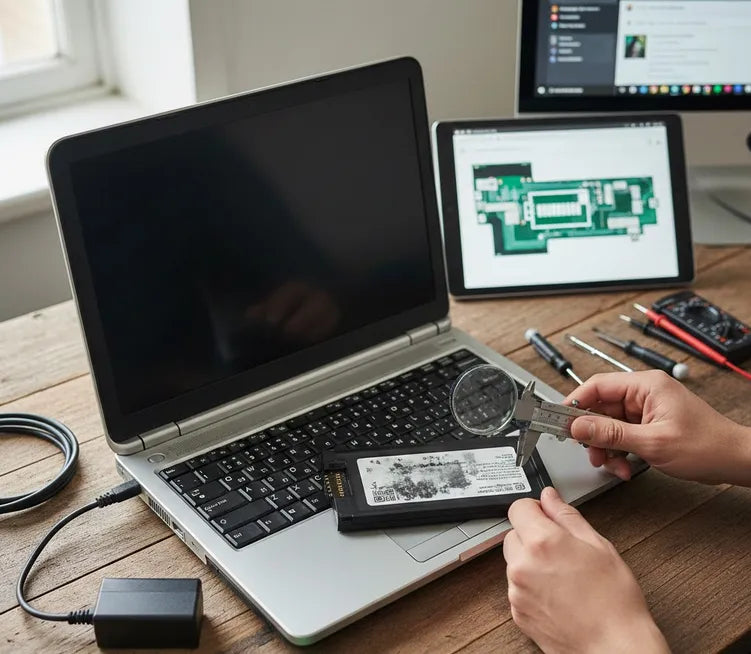
The "Right to Repair" movement has highlighted a major issue. Many tech giants phase out hardware support quickly. If your laptop is over seven years old, finding an official battery is difficult. Lithium-ion technology degrades even when sitting on a shelf.
Most major brands like Dell or HP stop stocking parts after a decade. This leaves users at a crossroads. Should you buy a third-party replacement? Or should you try to rebuild the original pack?
Why Battery Health Matters
A dead battery turns a portable laptop into a desktop. It limits your productivity and mobility. Furthermore, old batteries can swell. A swollen battery can crack your laptop's chassis or damage the trackpad. Replacing the battery is often a safety necessity, not just a luxury.
Navigating the Aftermarket
The aftermarket is flooded with low-quality clones. Some of these lack the necessary protection circuits. This leads to overheating or even fires. This article uses real-world data to help you navigate these risks. We prioritize "people-first" content by focusing on your safety and your wallet.
Identifying Your Battery: Specs and Part Numbers
Finding the right battery starts with precise data. Most older laptops use proprietary shapes. You cannot simply buy a "standard" battery like a AA or AAA. You must match the physical fit and the electrical output.
Locating the Part Number
The most accurate info is on the battery itself. Turn off your laptop and unplug the power. If the battery is removable, slide the latches to release it. Look for a label with a "Model Name" or "Part Number" (P/N).
For Dell laptops, look for a five-digit code called a DPN. HP batteries often use a "Spare Part Number" followed by a dash (e.g., 123456-001). Lenovo users should look for an "FRU" number. These codes are unique to the battery's specific shape and voltage.
Checking Voltage and Capacity
Voltage is critical for the safety of your motherboard. Most laptop batteries operate at 10.8V, 11.1V, or 14.4V. Never use a battery with a different voltage than your original. A slight difference like 10.8V vs 11.1V is usually fine. However, jumping from 11.1V to 14.4V can fry your hardware.
Capacity is measured in milliamp-hours (mAh) or Watt-hours (Wh). Higher capacity means longer runtimes. It is safe to buy a battery with a higher mAh rating. This is like putting a larger fuel tank in a car. It will not damage the system.
Software Methods for Dead Batteries
What if the label is missing or unreadable? You can use software if the laptop still boots. Windows users can generate a "Battery Report" easily.
- Press Win + R, type cmd, and hit Enter.
- Type powercfg /batteryreport and press Enter.
- Open the resulting HTML file in your user folder.
This report lists the Design Capacity and the Manufacturer Name. For Apple users, click the Apple menu, select About This Mac, and then System Report. Under the "Power" section, you will find the battery's cycle count and serial number.
Top Marketplaces for Obsolete Laptop Parts
Sourcing a battery for a vintage machine requires stepping away from traditional retail. Big-box stores rarely keep stock for models older than three years. You need specialized vendors who understand legacy hardware.
Specialized Online Battery Retailers
Websites like StoreShoppe or BattDepot are excellent starting points. These companies focus solely on power solutions. They often carry "New Replacement" packs for laptops dating back to the early 2000s.
These retailers typically offer warranties, which provides a layer of protection. A one-year warranty is standard for a quality third-party cell. If a vendor offers no warranty, it is best to keep looking.
The Role of eBay and Amazon
eBay is the king of "New Old Stock" (NOS). This refers to original parts that were never sold. However, be cautious with NOS lithium-ion batteries. If they have sat uncharged for a decade, they may be chemically dead.
Amazon is convenient but requires careful filtering. Always check the "Seller Feedback" specifically for battery longevity. Look for reviews from users who have owned the battery for over six months.
Specialized Refurbishers and Local Shops
Some enthusiasts offer "Recelling" services. They open your original battery casing and replace the internal 18650 cells. This is an eco-friendly way to keep the original fit and finish.
Local repair shops often have a "boneyard" of older machines. While a used battery is risky, it can serve as a cheap temporary fix. Always ask the shop to test the "Health Percentage" before you buy.
| Source Type | Best For | Risk Level |
| Specialized Sites | Reliability and Warranties | Low |
| eBay (NOS) | Authentic OEM Parts | Medium |
| Amazon | Fast Shipping and Price | Medium |
| Recelling | Rare or Custom Shapes | High (Requires skill) |
Safety First: How to Avoid Counterfeit Cells
Safety is the most critical factor when buying third-party electronics. Lithium-ion batteries are energy-dense and potentially volatile. A poorly manufactured battery can lead to thermal runaway or fire.
Recognizing Warning Signs
Price is the first indicator of quality. If a battery costs 50% less than other replacements, be wary. Cheap manufacturers often skip essential safety components. This includes the battery management system (BMS) that prevents overcharging.
Look for a lack of proper certification markings. Genuine batteries feature UL Listed, CE, or RoHS stamps. While these labels can be faked, their absence is a definite red flag. Weight is another clue; low-quality cells are often suspiciously light.
The Dangers of "New Old Stock"
Chemically, lithium batteries degrade over time even when not in use. A battery manufactured in 2015 may have 0% charge capacity today. This happens due to internal resistance buildup.
Always ask the seller for the "Date of Manufacture." If the battery is more than three years old, its performance will be diminished. A reputable seller should be transparent about the age of their inventory.
Safe Installation and Disposal
Before installing a new battery, inspect it for physical defects. Look for bulging, leaking, or a strong chemical smell. If any of these are present, do not plug it into your laptop.
Properly dispose of your old battery at a certified recycling center. Many tech retailers like Best Buy or Home Depot offer free recycling bins. Never throw lithium batteries in the trash, as they cause landfill fires.
Final Performance Check
Once installed, perform a full charge and discharge cycle. This "calibrates" the battery with your laptop's software. Monitor the temperature during the first few hours of use. It should be warm to the touch, but never hot.
