
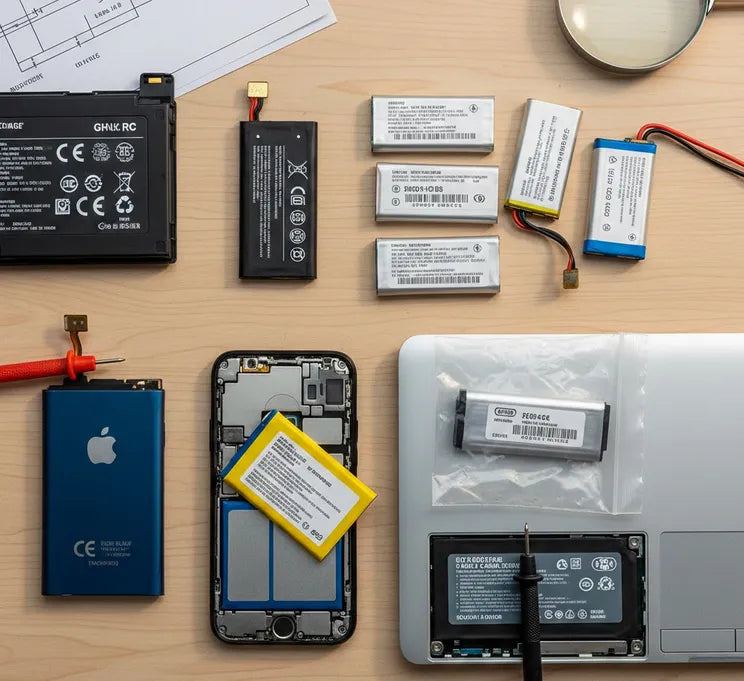
The terminology used by online retailers is often intentionally confusing. You might see "Genuine," "OEM," "Original," or "Replacement" used interchangeably. However, these terms represent very different levels of quality and manufacturing standards.
Defining the Core Terms
To start, we must define the three main categories of batteries found online today.
- OEM (Original Equipment Manufacturer): These are produced by the company that made the battery for the device's brand. For example, Simplo or LG might make the battery for a Dell laptop.
- Genuine/Original Battery: This is the exact battery sold by the device manufacturer. It carries the brand logo (like Apple or Samsung). It is identical to the one that came in your box.
- Aftermarket / Third-Party Replacement: These are made by independent companies. They are designed to fit your device but are not endorsed by the original brand.
The Rise of the Aftermarket Collection
In recent years, the "Aftermarket Collection" has grown significantly. Companies like Anker or Ifixit have built strong reputations here. These brands offer high-quality alternatives to expensive originals.
However, the market is also flooded with "white-label" batteries. These are generic products sold under various random brand names on major marketplaces.
Why the Distinction Matters
Choosing the wrong category can lead to more than just a short battery life. Modern devices use complex firmware to communicate with the battery.
A "Genuine" battery contains a specialized chip. This chip reports accurate health data to your operating system. Low-end aftermarket batteries often lack this technology. This results in sudden shutdowns or incorrect percentage readings.
OEM vs. Genuine : Technical Specifications and Quality Gaps
The primary difference between an OEM and an Genuine battery lies in the supply chain and quality control. While they might look identical on the outside, their internal architectures often tell a different story.
The Anatomy of Quality: Cell Grading
Not all lithium-ion cells are created equal. Large manufacturers like Panasonic, Samsung, and LG categorize their cells into grades:
- Grade A Cells: These are the highest quality, featuring the most stable chemistry and consistent capacity. OEM and high-end aftermarket brands (like Anker or iFixit) exclusively use these.
- Grade B or C Cells: These may have minor capacity variations or physical imperfections. These often find their way into "no-name" generic batteries to keep prices low.
- Recycled Cells: In extreme cases, ultra-cheap "bargain" batteries use cells harvested from old laptops, repackaged into a new plastic shell.
The Communication Gap: Firmware and Chips
Modern batteries are "smart." They contain a Battery Management System (BMS)—a small circuit board that talks to your device.
OEM batteries use proprietary firmware that ensures a perfect "handshake" with your laptop or phone. This allows for precise reporting of remaining life. Cheap aftermarket batteries often use reverse-engineered chips. This is why you might see your laptop jump from 40% to 5% in a matter of minutes.
Data Comparison: Performance Metrics
Based on industry failure rates and performance testing, the gap is often measurable:
| Feature | OEM / Genuine | High-End Aftermarket | Generic "No-Name" |
| Typical Failure Rate | < 1% | 1% – 3% | 5% – 10% |
| Capacity Accuracy | 98% – 100% | 90% – 110% | 60% – 80% (often lied about) |
| Lifespan (Cycles) | 500 – 1000 | 400 – 800 | 100 – 300 |
| Safety Certifications | UL, CE, RoHS | UL, CE, RoHS | Often Missing |
Real-World Longevity
Research shows that an OEM battery typically retains about 80% of its capacity after 500 charge cycles. A low-quality third-party battery may hit that same level of degradation after only 150 cycles.
While the upfront cost is lower, the cost per cycle is often higher for the cheaper alternative. You may find yourself buying three cheap batteries in the time one OEM battery would have lasted.
The Risks of "Too Good to Be True" Deals: Safety and Longevity
In 2024, data from the FAA showed that lithium-ion battery incidents occurred aboard aircraft more than once per week. Many of these cases involved gray-market or "no-name" replacement batteries. While a low price is tempting, the hidden costs often involve property damage or physical safety.
The Missing Safety Net: PTC and CID
Genuine batteries and high-end OEM replacements are built with multiple layers of defense. Two critical components are the Positive Temperature Coefficient (PTC) device and the Current Interrupt Device (CID).
The PTC acts like a resettable fuse, limiting current if the battery gets too hot. The CID is a pressure-sensitive switch that physically disconnects the circuit if internal gas pressure builds up. Recent research indicates that a high percentage of low-cost "knockoff" batteries omit these components to save on manufacturing costs.
Understanding Thermal Runaway
Without these safeguards, a battery can enter a state called thermal runaway. This is a self-sustaining cycle where heat generation exceeds heat dissipation.
Temperatures can spike from 100∘C to over 600∘C in seconds. In laboratory overcharge tests, authentic batteries safely disconnected from the power source. In contrast, counterfeit batteries without CID mechanisms continued to heat until they ignited or exploded.
Longevity and Economic Reality
Beyond safety, the "longevity gap" is significant. Research into low-cost cells often reveals anode overhang defects. This manufacturing flaw leads to lithium plating and dendrite growth.
Dendrites are microscopic spikes that can eventually pierce the internal separator, causing a short circuit. Even if the battery doesn't catch fire, these defects cause the battery to "leak" power or fail within 12 months. Statistically, over 50% of fires involving third-party batteries occur within the first year of use.
The Environmental Toll
Low-quality aftermarket batteries are often produced with inferior materials that are harder to recycle. Because they fail faster, they contribute disproportionately to electronic waste. By choosing a high-quality OEM or certified battery, you reduce your environmental footprint by extending the replacement cycle of your device.
The Smart Buyer’s Checklist: What to Verify Before Checkout
Purchasing a battery requires more than just matching a model number. With the rise of sophisticated "super-clones," even seasoned tech users can be deceived. This final chapter provides a practical framework for identifying quality and avoiding scams.
1. Spotting the "Fake" Genuine Battery
Counterfeiters often use official logos to trick buyers. However, physical details usually give them away. Look for these red flags:
- Weight: Lithium is light, but the internal components have a specific density. If a battery feels significantly lighter than your original, it likely has smaller, inferior cells inside.
- Label Quality: Check for typos or blurry printing. Genuine manufacturers use high-quality thermal printing that does not smear.
- The Price Gap: If a "Genuine" battery retails for $100 but is listed for $15, it is almost certainly a counterfeit.
2. Check for Essential Certifications
Legitimate aftermarket brands invest in third-party testing. Always look for these markings on the battery label:
- UL Listed (Underwriters Laboratories): The gold standard for electrical safety testing.
- CE Marking: Indicates conformity with health, safety, and environmental protection standards for products sold within the European Economic Area.
- RoHS: Confirms the product is free from specific hazardous substances like lead or mercury.
3. Verification Steps for Different Battery Types
Depending on what you are buying, use this comparison table to guide your choice:
| Battery Type | Preferred Source | What to Check |
| Laptops | OEM or Certified Aftermarket | Cycle count and BIOS recognition. |
| Smartphones | Genuine / Authorized Service | Adhesive quality and flex cable thickness. |
| Power Tools | OEM / Genuine | High-discharge rating (Amps) compatibility. |
| Generic AA/AAA | Reputable Aftermarket | "Low Self-Discharge" (LSD) technology. |
4. The "Seller Reputation" Audit
Before clicking "Buy," audit the vendor. Avoid sellers with names consisting of random letters (e.g., "XZY-Battery-Store"). Look for sellers who offer at least a 12-month warranty. A company that trusts its product will always back it with a replacement guarantee.
Final Summary
Choosing between Genuine, OEM, and Aftermarket batteries is a balance of risk and reward.
- Choose Genuine if your device is under warranty or if safety is your absolute priority.
- Choose High-End Aftermarket (like iFixit or StoreShoppe) to save 30% while maintaining safety.
- Avoid Generic "No-Name" options, as the safety risks and short lifespan negate any initial savings.
Invest in quality once, rather than paying for a replacement—or a damaged device—twice. Your hardware, and your safety, are worth the extra few dollars.
